How to download and order your portraits.
Step 1: Go to the private link specifically created for your gallery and enter the password.
That should take you to a page similar to this one. Pay attention to the area to the top right, above the first line of photos: " Select Photos, Buy, Create a Book, and Slideshow".
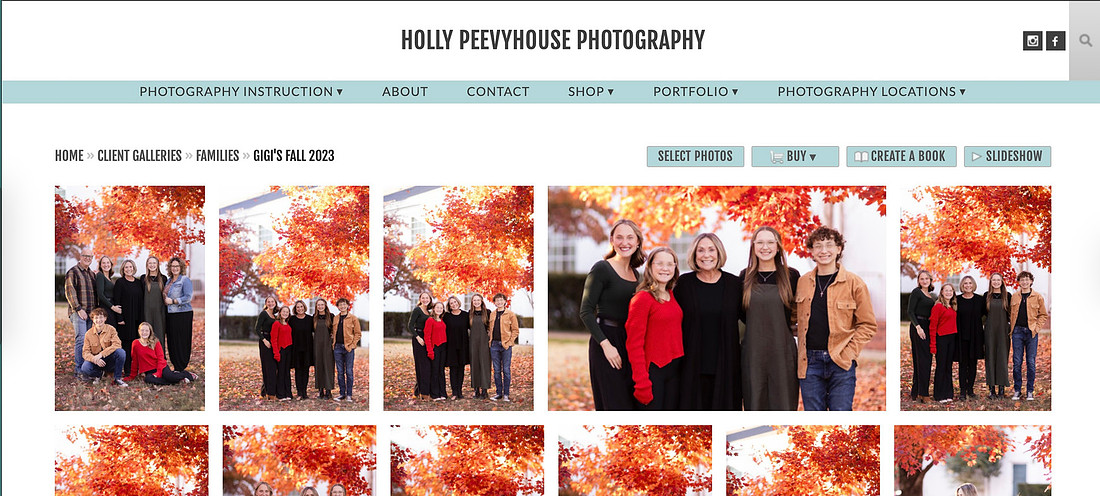 Untitled
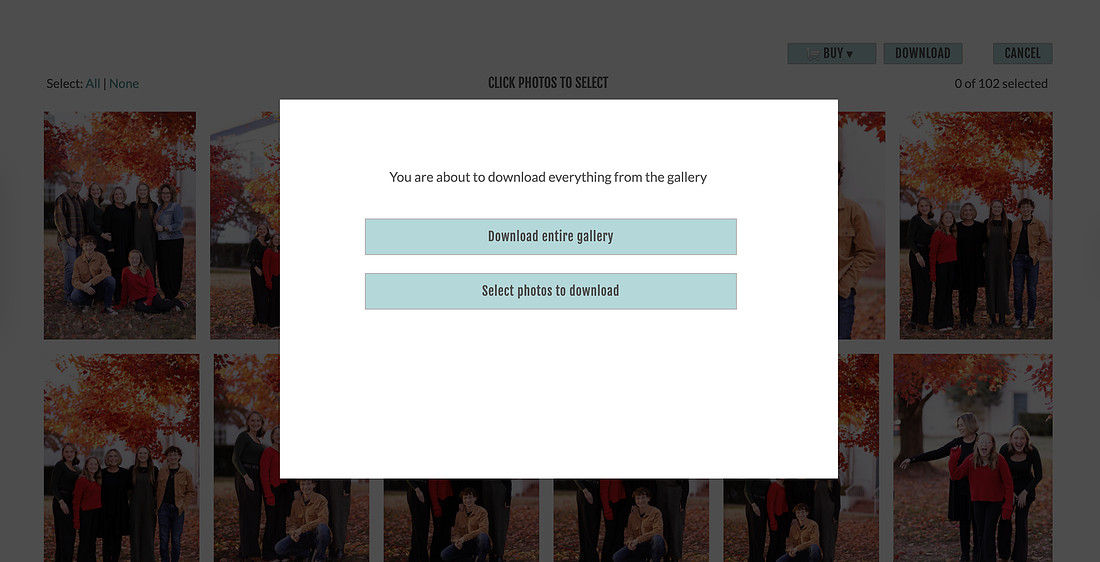
Step 2: If you would like to download all of your images, you will simply click on "Select Photos", and then from there you will click on "Download." You will then get a prompt that looks like the one below. I honestly recommend simply downloading all because, why not, that is what you paid for! You will be prompted from there to supply an email to have your download link emailed to you.
 Screenshot 2025-10-29 at 3.21.40 PM
Step 3: If you would like to purchase prints of specific photos, you will need to click on "Select Photos" and choose as many photos as you would like to order prints from. Once you have made your selection, click on the "Buy" button.
Untitled
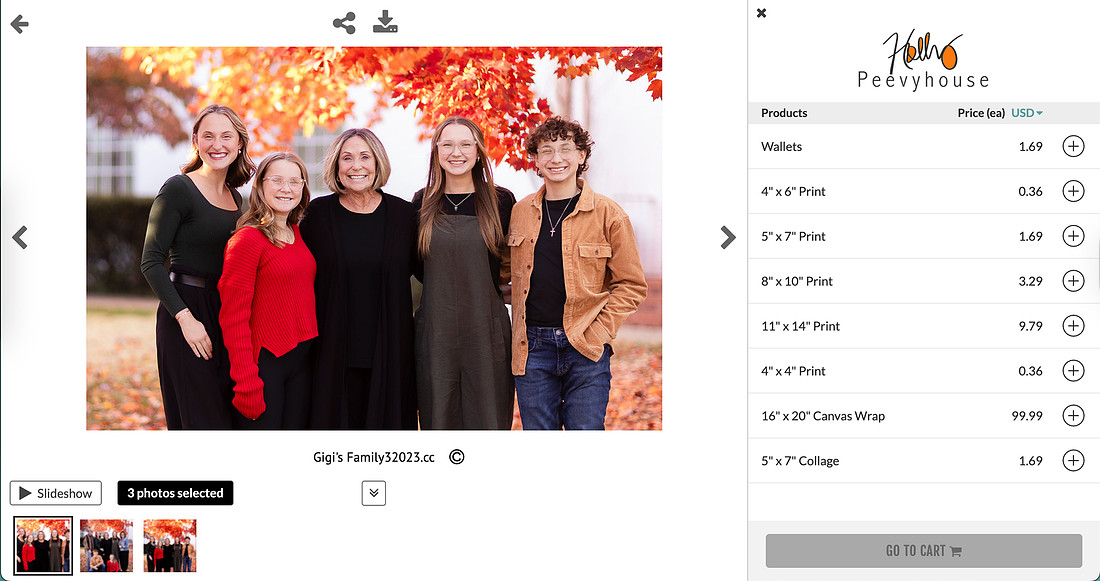
Step 4: Once you have clicked "Buy," you will be taken to a screen that looks like the one below. You will click on the + sign to the right side of the sizes and prices to add to your order. Notice below the larger image are other images you may have selected to purchase prints. Be sure to go through and order all of your prints. Once you are finished ordering your prints, choose "go to cart" or "view cart".
Step 5: Look through your order summary to confirm your order is correct, and also check the cropping guide on each image to make sure you are pleased with it. The cropping is done with AI, so you are able to adjust it if you do not like the crop.
Step 6: Once you confirm your order, you will be prompted to check out and pay for your order.
 Screenshot 2025-10-29 at 3.21.04 PM
And you are finished! If you have any problems at all, please do not hesitate to reach out to me with questions! I am happy to help. Contact me here.